
Doodle Review: How Well Does It Handle Scheduling, Polls, and Event Planning?

We explored doodle.com and documented our experience to provide you with detailed insights and an honest review.
If you’re looking to use an online poll to determine the best meeting time or organize a birthday party, it’s essential for the scheduling process is smooth, simple and offers just the right features.
Over the course of a month, we used various Doodle polls to evaluate its usability and functionality, and here’s what we discovered.
Our Setup
For one month, we incorporated Doodle polls into our everyday workflow to assess their strengths and weaknesses. We focused primarily on the free online poll features, which are most important for the average user.
-
Duration: One month of real-world use
-
Focus: Free online poll features that are essential for everyday scheduling
-
Goal: Check usability, features and overall experiences
Week One: Creating Our First Scheduling Poll
Our first experiment was setting up a simple scheduling poll to determine the perfect meeting time for our weekly team meeting. After visiting doodle.com, the process was straightforward.
The call-to-action button led us directly to the poll creation page, where we had to enter a title and description.
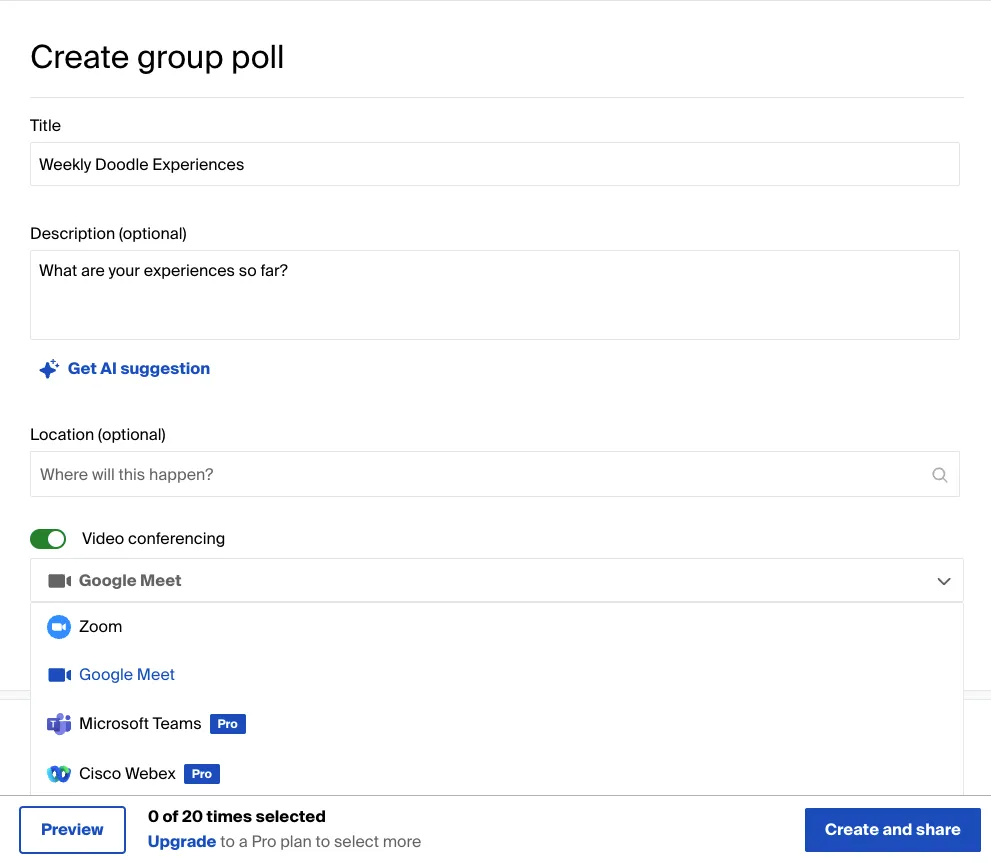
You could also indicate whether you’d prefer to meet via videoconference or in person. Once we provided this basic information, we were able to add multiple time slots ranging from 60 to 120 minutes—or even a whole day—to suit our needs.
A good feature was the calendar integration with Google Calendar, Office 365, or iCloud, which made scheduling a meeting a breeze.
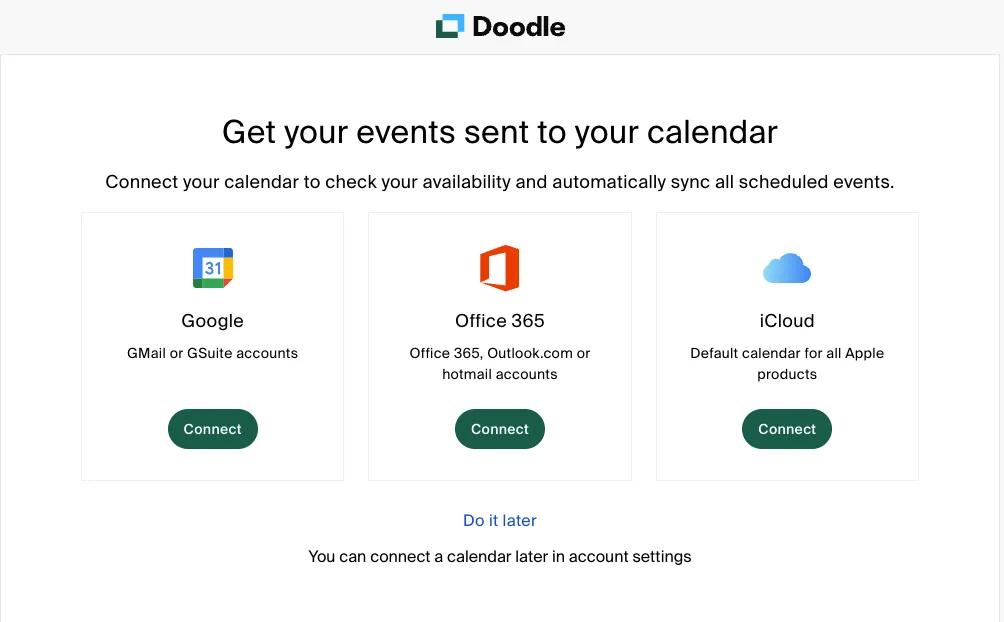
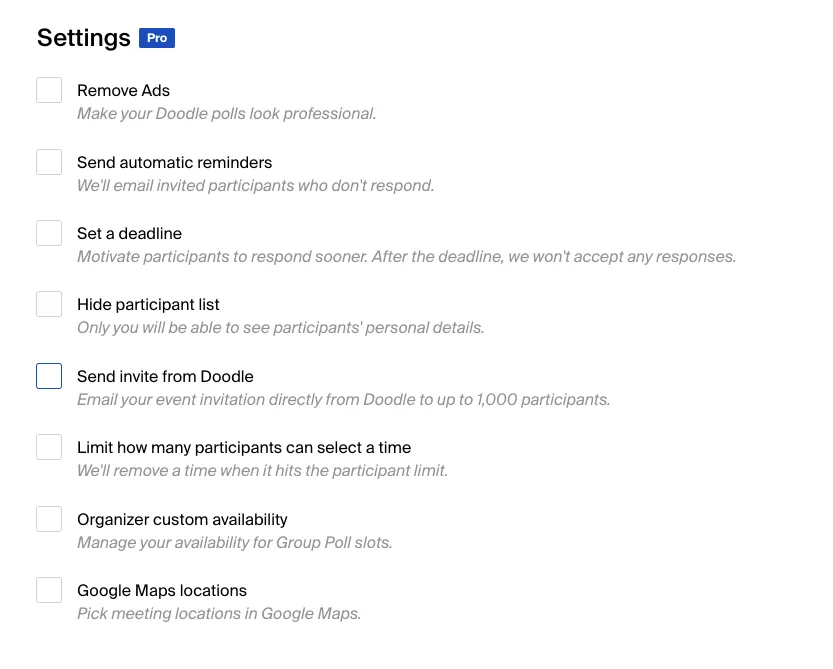
While Doodle did a great job breaking down the steps, some advanced features, like creating a participant list, are only available in the pro version.
We also discovered that sharing the poll directly via email isn’t free; you need to copy the link and send it manually through your email client.
After our colleagues received the link, they were able to vote for the date that best suited their schedules. The option to select “if necessary” is especially useful—it indicates that while the person is available on that date, they would prefer another option if possible. Voters also have the option to receive updates about the vote by checking a box.
Pros:
-
Easy and straightforward poll setup
-
Option to choose between videoconference or in-person meetings
-
Flexible time slot options (60–120 minutes or full day)
-
Seamless calendar integration with Google Calendar, Office 365, and iCloud
-
Useful “if necessary” option for scheduling flexibility
Cons:
-
Participant list feature is locked behind the pro version
-
Direct email sharing isn’t free—requires manual link copying
After we found the perfect time slot for our weekly meeting, every team member was instructed to use a Doodle online poll whenever an opportunity occurred. We then chose one experience each week, which we discussed.
Week Two: Tailoring Polls for Professional Purposes
After a week of using Doodle, we discussed our experiences as a team. One of our colleagues, who organizes yoga classes three times a week, shared her insights. Since the gym has limited capacity, she needs to carefully plan each session based on the participants’ skill levels.
Doodle provided some helpful features for this situation. After entering basic details such as the title and description, she was able to schedule up to 20 different sessions.
Each session could include specific details like date, time, duration, location, and maximum number of participants. Additionally, Doodle allowed her to decide whether the participant list should be public or private and to limit the number of attendees per session.
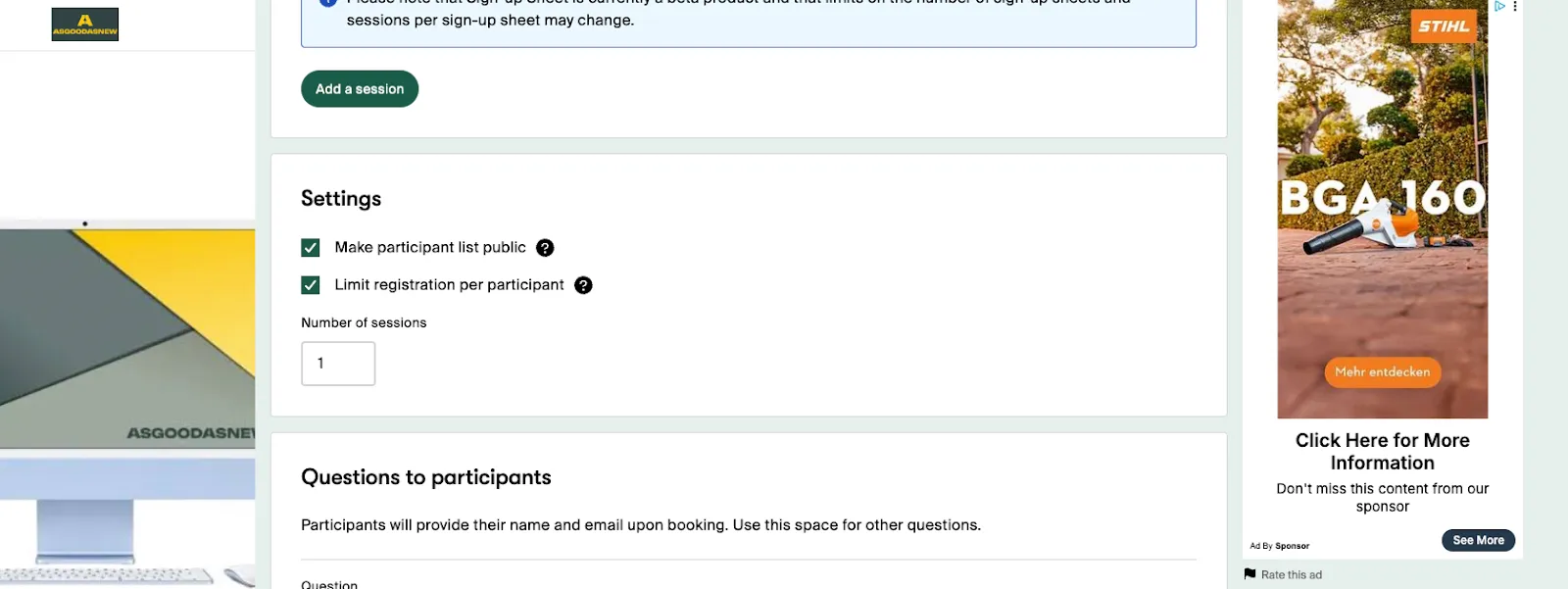
However, when she tried to gather information about participants’ skill levels (beginner, intermediate, or advanced), she could only ask in a text-based format, which caused confusion.
The lack of checkboxes for predefined answers made it harder to organize the classes effectively.
Another missing feature she noticed was the inability to have two-way communication, such as letting participants send private messages for additional details or special requests.
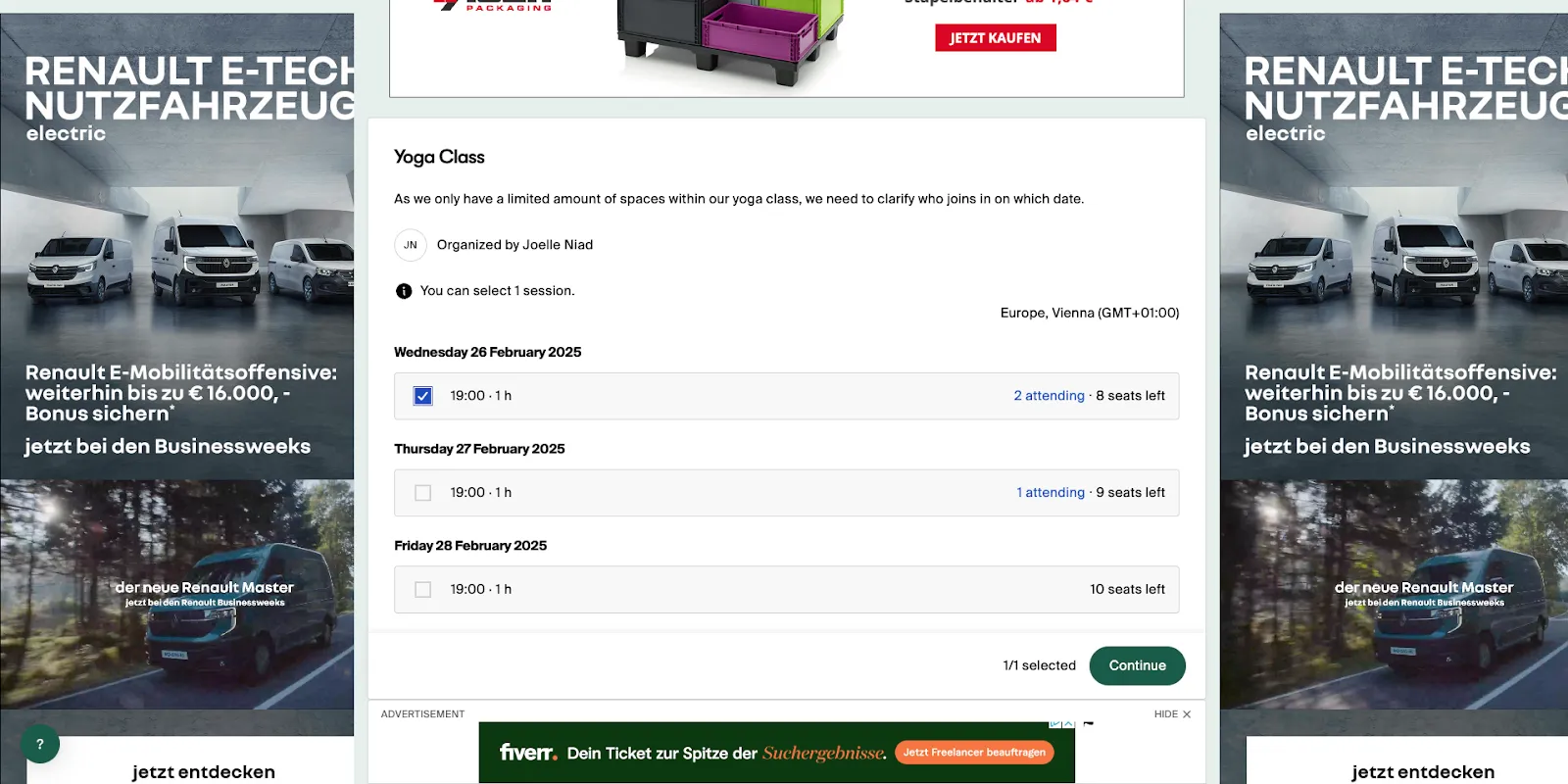
Another aspect she found inconvenient was the presence of ads, especially since she was using Doodle for professional purposes.
Pros:
-
Handy setup
-
Limit participants
-
Scheduling up to 20 different meeting times
Cons:
-
Unable to use all features, such as sharing via email
-
Only text-based questions & No checkboxes
-
Ads included in the free version
Week Three: Combining Scheduling and Group Surveys for planning a Potluck
In week three, a team member wanted to plan a get-together with friends. During our weekly meeting, he mentioned that he not only needed to find a date that worked for everyone but also wanted to coordinate who would bring what.
He set up a group survey and tried to add custom questions like, “What are you bringing?” However, since Doodle doesn’t offer the option to select from multiple-choice questions, participants could only respond with open-ended text. This made it difficult to track what was still needed and avoid duplicates.
He also found that combining an online poll with scheduling a meeting was challenging in Doodle, as it doesn’t include a built-in polling feature beyond scheduling.
The conclusion: If you need more information, it’s not as smooth as other potluck tools.
While he successfully used a group survey to find the right meeting time, he couldn’t create an additional poll to coordinate who was bringing what.
Instead, he had to ask open-ended questions, which resulted in sorting out and contacting each friend individually to tell them what to bring.
Pros:
-
Scheduling a meeting is quite easy
-
Setup is simple
Cons:
-
no predefined answer options
-
no possibility to track contributions
-
no built-in polling feature
-
manual follow up required
Week Four: Using Doodle to Schedule a Birthday Party
In week four, one of our colleagues wanted to invite us and his friends to his birthday party.
As he was planning a huge party and needed some help in advance, he listed some to-dos and wanted us to allocate ourselves to these tasks.
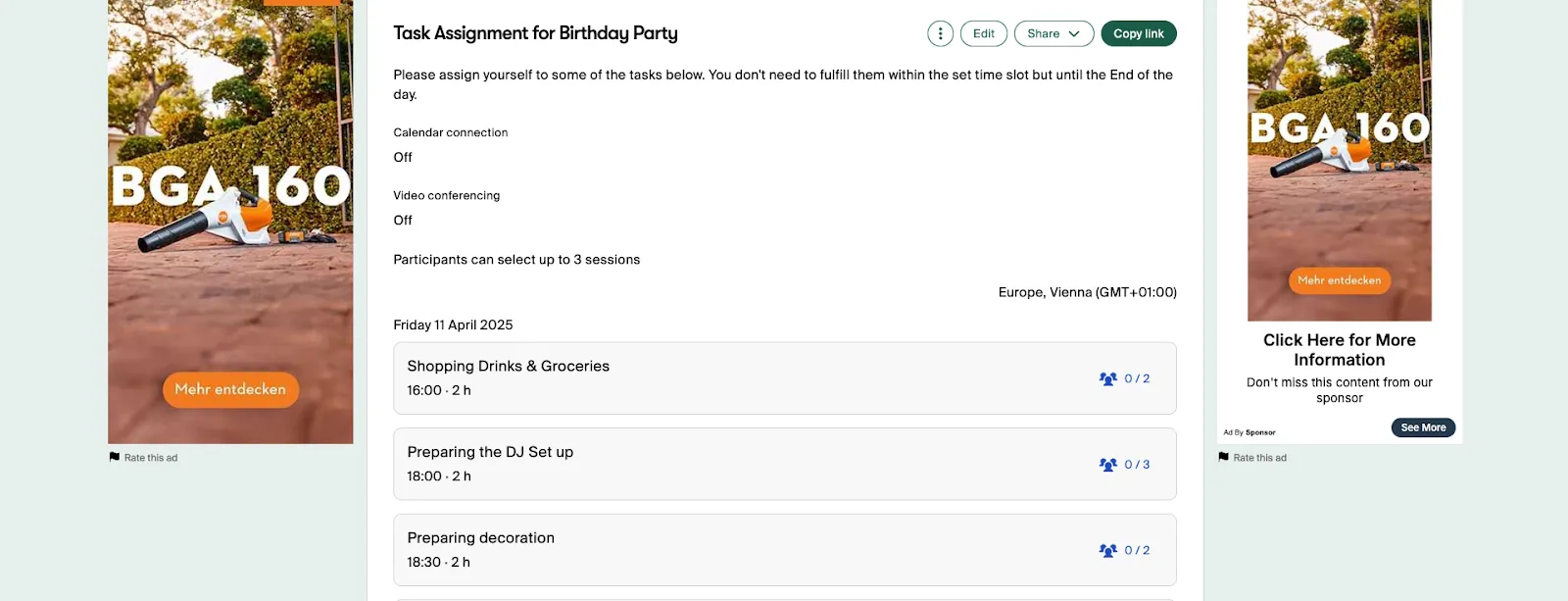
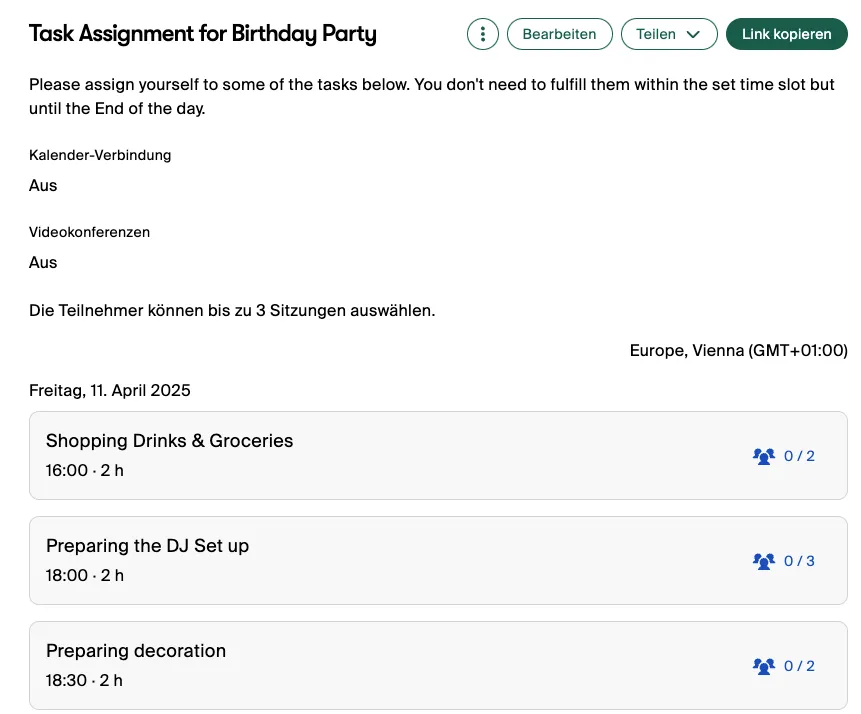
He used Doodle’s sign-up sheet tool in a creative way by setting it up as a to-do list. He defined short time slots as tasks, limited participant entries to avoid overbooking, and created a participant list via a group survey titled “Steve’s Birthday Party.”
Although this workaround showed that Doodle can be versatile, the inability to set deadlines or send automatic notifications in the free version was a drawback.
In addition, he created a participant list to see who was joining his birthday party.
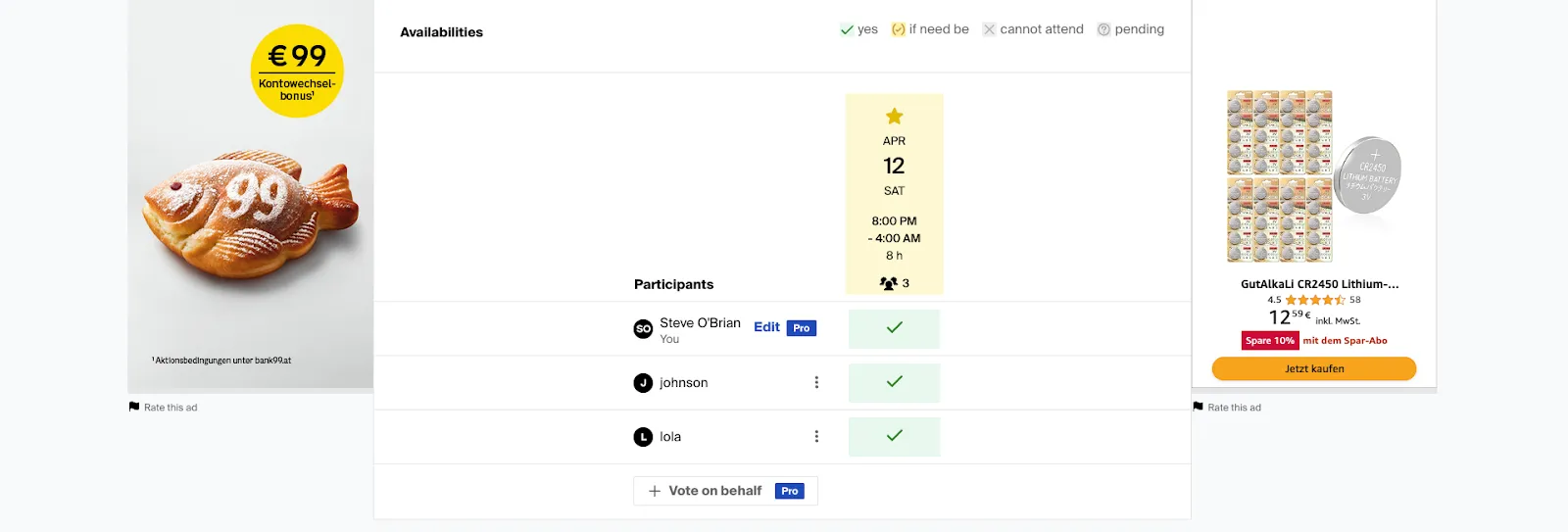
To set up a participant list, he used the group survey tool, naming it “Steve’s Birthday Party”, and asked participants to either accept or decline the invitation. Also in this case, he repurposed Doodle.
Usually, the scheduling poll is used to find a date that works for everyone. In his case, he set up one date and asked people to either accept or cancel the invitation.
Even though he had cleverly repurposed Doodle, he later noticed that far more people showed up because they brought their partners or friends along.
Pros:
-
Doodle can be repurposed by being creative
-
Tracking RSVPs is possible
-
Setup is easy
-
Limitation of participants is possible The setup is fast
Cons:
-
No RSVP tracking or deadline
-
no automatic notifications in the free version
-
not designed for task management
-
If participants want to add tasks, it’s not possible
-
It’s not possible to register multiple people
-
The invitation looks a bit boring and is too straightforward
-
There’s no option to ask for preferences
Final thoughts
After our test, we started to evaluate the different experiences of our colleagues.
Overall, Doodle offers a user-friendly online poll experience for those looking to find a meeting time quickly.
Whether you’re planning a routine meeting, scheduling a meeting, or even trying to schedule a birthday party, Doodle’s interface and calendar integration make it a good contender.
While Doodle’s free features work well for basic scheduling, its limitations in creating a comprehensive meeting poll and group survey might make it less appealing for more complex needs.
However, if you require advanced features like detailed participant lists or additional polling options, e.g., to plan a dinner with friends at home, you might need to consider upgrading to the pro version or even trying another free online polling tool like Whocan.
Findings:
We found that Doodle is more geared toward B2B use. Our positive experiences with scheduling internal meetings and yoga classes support this.
While it offers strong features for professional use and a straightforward user interface, it lacks customization and key polling options like task management, listings, and multiple-choice questions for private use.
These findings are also supported by PCMag’s Article
As you can see down below, most cons relate primarily to B2C customers.
Pros
Cons
-
Straightforward interface and basic functionality
-
Calendar integration (Google Calendar, Office 365, iCloud)
-
Quick setup for scheduling polls
-
Easy poll setup
-
Flexible scheduling options
-
Limit participant entries
-
Group survey option
-
Can be creatively adapted
-
Many essential features locked behind the pro version
-
Manual email sharing – No direct email option
-
Basic response options—only text-based, no checkbox or multiple choice options
-
No automatic notifications or deadlines in the free version
-
Lack of polling feature beyond scheduling
-
Limited task management
-
No multi person registration
-
Lack of customization & Design
-
Ads in the free version